4K IPTV Streaming: Is It Worth It? (Honest Quality Comparison)
Quick Answer
4K IPTV is worth it only if: You have a 55″+ TV, 50+ Mbps internet, and watch sports/movies primarily. For most viewers, 1080p is the sweet spot—looks great on any TV, works with 25 Mbps, and most IPTV content is 1080p anyway. The visual difference between 1080p and 4K on a 50″ TV at 8 feet is barely noticeable.
Key Takeaways
- 4K Resolution: 3840×2160 pixels (4x more than 1080p)
- Internet Required: 50+ Mbps for stable 4K (vs 25 Mbps for 1080p)
- TV Size Matters: Noticeable on 55″+, marginal on smaller screens
- Viewing Distance: 4K benefits visible within 6 feet of screen
- Content Reality: Most IPTV channels are still 720p/1080i
- True 4K Available: Select sports, premium movies, VOD only
- HDR Bonus: 4K often includes HDR (better colors/contrast)
- Device Required: Firestick 4K, Shield, Apple TV 4K, or 4K smart TV
4K vs 1080p vs 720p: The Honest IPTV Quality Guide
Every IPTV provider advertises ‘4K channels!’—but does it actually matter? Let’s cut through the marketing.
Ready for Crystal-Clear IPTV?
Access 15,000+ live channels, a massive on-demand library, and 99.9% uptime — starting today.
No contracts. 24/7 Support. Instant activation.
📺 Resolution Explained Simply
SD (480p)
• Resolution: 720×480
• Pixels: 346K
• File Size: Small
• Internet Needed: 5 Mbps
HD (720p)
• Resolution: 1280×720
• Pixels: 921K
• File Size: Medium
• Internet Needed: 10 Mbps
Full HD (1080p)
• Resolution: 1920×1080
• Pixels: 2.1M
• File Size: Large
• Internet Needed: 25 Mbps
4K UHD
• Resolution: 3840×2160
• Pixels: 8.3M
• File Size: Very Large
• Internet Needed: 50+ Mbps
The math: 4K has 4x more pixels than 1080p. More pixels = more detail. But those extra pixels cost bandwidth.
🎯 When 4K Actually Matters
✅ 4K Worth It:
• Sports: Fast motion + large crowds benefit from resolution
• Movies: Dark scenes reveal shadow detail in 4K HDR
• Nature documentaries: Fine details in landscapes/wildlife
• Large screen: 55″+ TV from close viewing distance
❌ 4K Overkill:
• News/Talk shows: Talking heads don’t need extra pixels
• Sitcoms: Studio lighting already looks great at 1080p
• Cartoons/Animation: Resolution adds minimal benefit
• Small/Medium screens: Under 50″ from 8+ feet away
📏 TV Size + Distance Guide
There’s a scientific formula for when you can actually see 4K benefits:
43″ TV: 4K visible under 4.5 feet, beyond that 4K = 1080p
50″ TV: 4K visible under 5.2 feet, beyond that 4K = 1080p
55″ TV: 4K visible under 5.7 feet, beyond that 4K = 1080p
65″ TV: 4K visible under 6.8 feet, beyond that 4K = 1080p
75″ TV: 4K visible under 7.9 feet, beyond that 4K = 1080p
Translation: If you sit 8 feet from a 55″ TV, your eyes physically cannot distinguish 4K from 1080p.
🔌 Internet Speed Requirements
720p HD: Minimum 8 Mbps, Recommended 15 Mbps
1080p Full HD: Minimum 15 Mbps, Recommended 25 Mbps
4K UHD: Minimum 35 Mbps, Recommended 50+ Mbps
Common problem: Users pay for 4K but only have 30 Mbps internet. Result: constant buffering during 4K content, forcing the app to downgrade to 1080p anyway.
📡 IPTV 4K Content Reality
What’s actually in 4K on premium IPTV:
• ~15% of sports channels (select events only)
• Premium movie channels (Sky Cinema, some HBO)
• ~80% of VOD movies/series (post-2020 productions)
• Netflix/Prime integrations (where available)
What’s still 1080i/720p:
• Most news channels
• Most international channels
• Older movies in VOD
• Regional sports networks
💰 Is 4K IPTV Worth the Extra Cost?
65″+ TV, 50+ Mbps, watch sports/movies → ✅ Yes, 4K worth it
55″ TV, 40 Mbps, mixed viewing → ⚠️ Maybe, will work 70% of time
Under 50″ TV or slow internet → ❌ No, stick with 1080p plan
Casual viewer, mostly news/shows → ❌ No, 1080p is perfect
🖥️ 4K-Compatible Devices
• Budget: Firestick 4K Max ($55)
• Mid-range: Chromecast with Google TV 4K ($50)
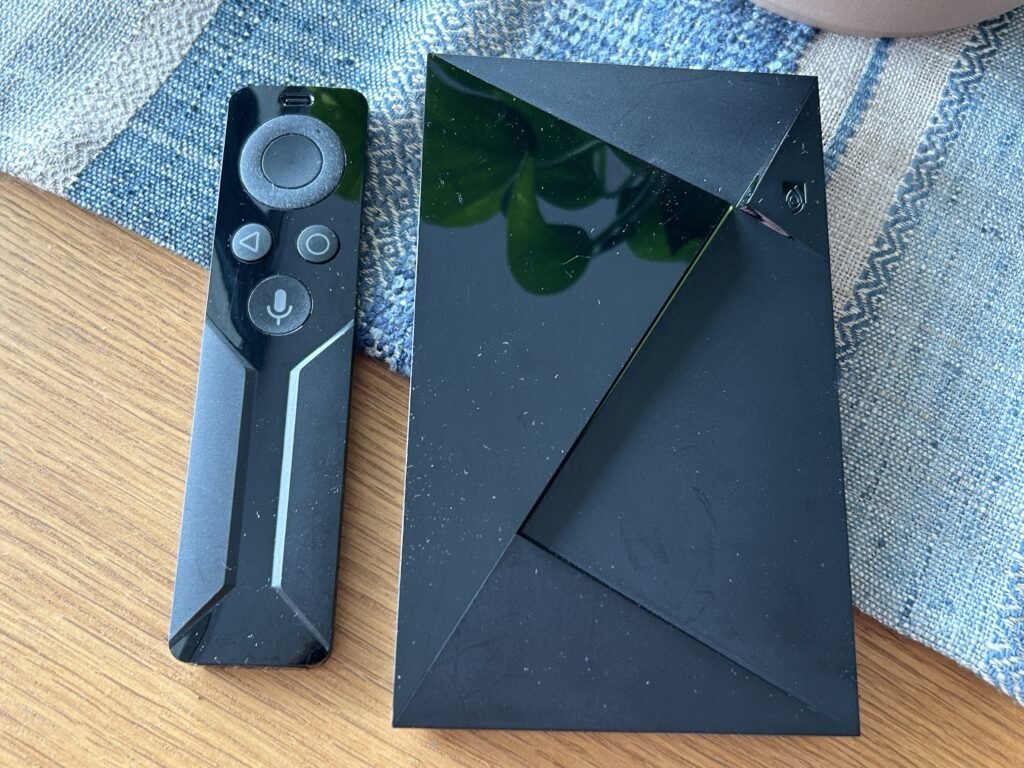
• Premium: NVIDIA Shield Pro ($200)
• Apple ecosystem: Apple TV 4K ($130)
Test 4K Quality – Start Free Trial
FAQ
Do all IPTV channels broadcast in 4K?
No. Most IPTV channels are still 720p or 1080i. True 4K is limited to select sports events, premium movie channels, and VOD content. Expect about 15-20% of live channels to offer 4K.
Can I tell the difference between 1080p and 4K?
Only if: 1) Your TV is 55+ inches, 2) You sit within 6 feet of the screen, and 3) The content is true 4K (not upscaled). From 8+ feet on a 50″ TV, studies show most people can’t distinguish 4K from 1080p.
Why does my 4K IPTV keep buffering?
4K requires 50+ Mbps of consistent internet speed. If you have 30 Mbps or WiFi interference, 4K streams will buffer. Solution: use wired ethernet or reduce quality to 1080p in app settings.
Is 4K IPTV better for sports?
Yes, significantly. Fast motion (football, basketball, racing) shows compression artifacts at lower resolutions. 4K with high bitrate makes movement smoother and crowds in stadiums more detailed.
Why this matters for 8KTV users
8KTV IPTV users searching terms like 8ktv iptv, 8k tv iptv, my8ktv, and ip8ktv iptv can use this guide to improve setup quality, channel stability, and viewing experience.