IPTV Troubleshooting Guide 2026: Fix Buffering & Freezing
Quick Answer
90% of IPTV buffering is caused by three things: ISP Throttling (fix with VPN), Weak Wi-Fi (fix with Ethernet or 5GHz band), or Local Cache Bloat (fix by restarting router/device). If your stream loops or freezes during big events, your ISP is likely targeting the traffic. Switch to a new DNS (1.1.1.1) or turn on a VPN immediately.
Key Takeaways
- ISP Throttling: The #1 cause of buffering during games (Use VPN)
- Wi-Fi vs Ethernet: Wire up for 50% better stability
- DNS Flush: Change DNS to 1.1.1.1 (Cloudflare) or 8.8.8.8 (Google)
- App Cache: Clear TiviMate/Smarters cache weekly
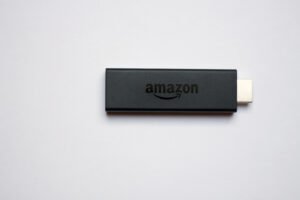
- Hardware: Avoid using built-in TV apps; use a Firestick 4K Max
- User Agent: Change player settings to VLC or ExoPlayer
Stop the Spin: The Ultimate IPTV Troubleshooting Manual
Buffering is the enemy. There is nothing worse than the screen freezing right before a goal. In 2026, ISPs are smarter, but so are the fixes.
Ready for Crystal-Clear IPTV?
Access 15,000+ live channels, a massive on-demand library, and 99.9% uptime — starting today.
No contracts. 24/7 Support. Instant activation.
🛑 Issue #1: ISP Throttling (The Silent Killer)
Symptoms: Internet speed test shows 100Mbps+, but IPTV freezes every 10-30 seconds. Works fine in the morning, buffers at 8pm.
The Why: ISPs (Comcast, AT&T, Virgin, Rogers) use “Traffic Shaping” to detect streaming packets and slow them down to save network capacity.
The Fix:
1. Get a VPN: This encrypts your traffic. Your ISP can’t throttle what it can’t read.
2. Test: Turn VPN ON. If buffering stops, you have proven throttling.
📶 Issue #2: The Wi-Fi Signal Lie
Your router might be in the next room, but 5GHz signals struggle to penetrate walls.
The Fixes:
• Hardwire: Buy a $15 Ethernet Adapter for your Firestick. This is the single best upgrade you can make.
• Band Steering: Ensure you are on the 5GHz band (faster) not 2.4GHz (crowded).
🛠️ Issue #3: Device RAM & Cache
Streaming 4K fills up the temporary memory (RAM) of cheap devices quickly.
Maintenance Routine:
1. Force Close: Don’t just press Home. Go to Settings > Applications > Manage Apps > Force Stop.
2. Clear Cache: Do this weekly. (Do NOT clear ‘Data’ or you lose your login).
3. Restart: Reboot your router and Firestick once a week to flush ‘Zombie Connections’.
🌐 Issue #4: DNS Routing
Your ISP’s default phonebook (DNS) is often slow or blocks IPTV domains.
The Fix: Change DNS
• On Firestick: Go to Network Settings -> Advanced.
• Primary DNS: `1.1.1.1` (Cloudflare – Fast & Private)
• Secondary DNS: `8.8.8.8` (Google – Reliable)
• *Result*: Snappier channel switching and bypasses basic blocks.
📺 App-Specific Fixes
Audio Sync Issues / No Audio
• Change the Decoder in your app settings from `Hardware` to `Software` (or vice versa).
• Use an external player like VLC.
“Stream Loop”
• This means the app lost the connection packet. Increase the Buffer Size in settings to “Large” or “5 seconds”. This adds a slight delay but prevents loops.
Need a Stable Provider? Try 8KTV
FAQ
Why does only one channel buffer?
If 99 channels work and 1 buffers, the issue is at the source (the broadcaster). Report it to support and use a backup channel in the meantime.
My playlist says ‘Auth Failed’?
You may have a typo in your password, OR your subscription expired, OR your ISP has blocked the URL (Turn on VPN).
What is the best User Agent string?
If streams fail, try changing the User Agent to ‘VLC’ or ‘IPTVSmartersPro’ in your app settings. This tricks the server into thinking you are using a standard media player.
Why this matters for 8KTV users
8KTV IPTV users searching terms like 8ktv iptv, 8k tv iptv, my8ktv, and ip8ktv iptv can use this guide to improve setup quality, channel stability, and viewing experience.